

How a Wifi Installation Service Improves Coverage Consistency Across Large and Device-Heavy Commercial Workspaces

Key Points:
- Large workspaces need wireless coverage planned around real device demand.
- Site surveys help find interference, weak zones, and better access point locations.
- Access point spacing affects roaming, signal strength, and overall network stability.
- Channel and power settings help reduce overlap and avoid avoidable interference.
- Capacity planning should consider busy rooms, peak periods, and future growth.
- Strong cabling and switch capacity are essential for reliable wireless performance.
- Proper configuration helps keep staff, guest, and business traffic organized and secure.
- Real-world testing helps reveal weak transitions and crowded wireless areas.
- Clear records and regular reviews make future troubleshooting and upgrades easier.
Large commercial workspaces can place heavy pressure on a wireless network. Offices, warehouses, hotels, healthcare sites, and shared business centers may connect hundreds of laptops, phones, scanners, cameras, and smart devices each day. When the network is not planned for that volume, users may face slow applications, frozen video calls, weak roaming, or sudden drops. These problems often become worse in crowded rooms and during the busiest parts of the workday.
Reliable coverage requires more than adding access points wherever a signal seems weak. The design must account for building materials, room use, device numbers, traffic patterns, and the wired network behind each unit. A careful installation process connects those details before equipment is successfully mounted. It helps commercial teams create steady coverage across large spaces while leaving practical room for new users, new tools, and future changes to the workplace.
WiFi Service Planning Starts With Site Evidence
A professional Wifi installation service begins with a site survey and a clear review of business needs. The team measures existing coverage, looks for interference, checks cable routes, and studies where people and devices gather. They also review ceiling access, mounting options, and telecom rooms. This early work replaces guesswork with useful evidence and helps the final design match the real building instead of relying only on floor plans or general equipment estimates.
The survey should also identify which applications matter most. Video meetings, voice calls, cloud software, mobile payments, scanners, and guest access can place different demands on the network. Knowing those priorities helps designers decide where stronger capacity or added coverage is needed. It also gives property managers a clearer reason for each recommendation, making proposals easier to compare and helping budgets focus on areas that have the greatest effect on daily work.
Why Large Workspaces Develop Uneven Wireless Coverage
Large buildings rarely have the same wireless conditions in every area. Concrete walls, metal shelving, glass partitions, elevators, and high ceilings can change how signals travel. A device may work well near an access point but lose speed after entering a conference room or storage aisle. These uneven results can interrupt routine tasks and make the network feel unreliable, even when the internet connection entering the property is fast and stable.
Read More: AI Agents in Action: Real-World Use Cases Across Industries
Device demand also changes throughout the day. Training rooms may fill in the morning, shared spaces may become busy at lunch, and warehouse teams may gather near loading zones during shift changes. Each area can place a sudden load on nearby access points. A strong plan studies these patterns instead of treating the entire property as one open space. That helps the network support both regular activity and short periods of heavy use.
Installer-Led Access Point Placement for Better Roaming
A skilled Wifi installer places access points according to room use, wall materials, ceiling height, and expected device volume. Adding more units does not always improve coverage. Access points installed too close together may compete, while units placed too far apart can leave weak zones. Proper spacing creates smoother movement between offices, hallways, meeting rooms, and shared areas. It also reduces the chance that users remain connected to a distant unit with poor performance.
Channel selection and power settings are just as important as location. Nearby access points using the same channels can create avoidable interference. Power levels that are too high may cause overlapping coverage, while levels that are too low may leave gaps. A balanced setup guides devices toward the strongest useful connection. This improves roaming and helps voice, video, and cloud sessions remain stable as employees move through a large commercial workspace.
Capacity Planning for Device-Heavy Business Areas
Coverage and capacity are not the same. A device may show a strong signal while the access point is overloaded by too many active connections. Designers must estimate how many users and devices will connect in each area, especially during meetings, events, or shift changes. They should also consider the type of traffic being carried. A room full of video calls needs more support than a quiet area used mainly for email and basic web access.
A scalable Wifi installation service also considers how demand may change over time. A business may add staff, move departments, install more connected equipment, or open new shared spaces. Planning spare switch capacity, suitable cable routes, and flexible controller options can make those changes easier. This approach does not mean overbuilding every area. It means preparing the locations most likely to grow, so future upgrades remain focused, affordable, and less disruptive.
Strong Cabling and Configuration Protect Performance
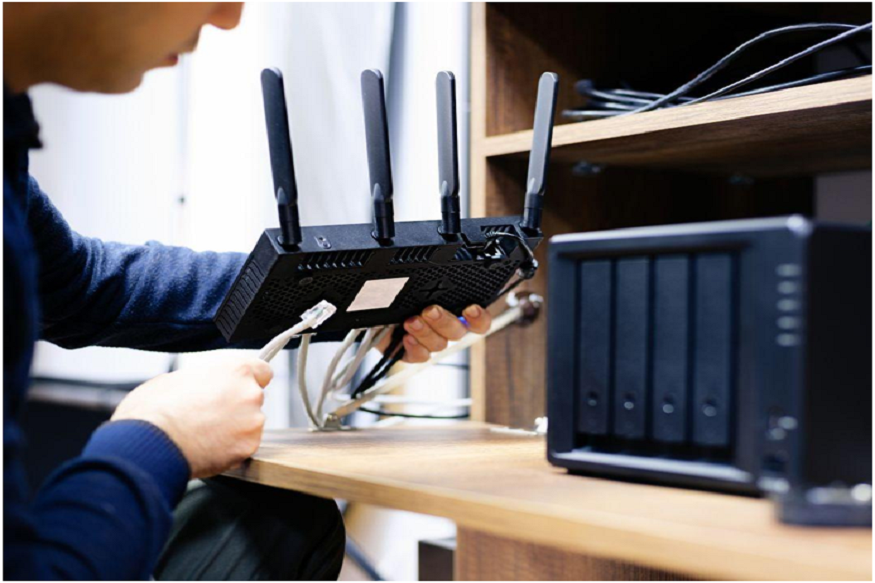
A reliable wireless network depends on the wired infrastructure behind it. An experienced Wifi installer checks whether cabling, switches, uplinks, and power delivery can fully support the planned access points. Old cable or limited switch capacity may create bottlenecks even when wireless coverage looks strong. Reviewing these links before installation prevents hidden limits and helps each access point deliver the speed, stability, and device support expected in its assigned area.
Configuration also protects everyday performance. Separate staff and guest access, suitable security settings, traffic controls, and consistent network names help users connect safely and easily. The setup should match the company’s operating needs without making routine access complicated. Clear labels and organized telecom rooms also make future service faster. When the physical and digital parts are managed together, troubleshooting becomes more direct, and changes are less likely to affect unrelated users.
Testing and Support Maintain Coverage Consistency
Testing should reflect real movement and normal business activity. Technicians need to check offices, hallways, meeting rooms, warehouses, reception areas, and other busy zones. They should test signal quality, speed, roaming, and device response while moving between access points. These checks may reveal weak transitions, crowded channels, or settings that need adjustment. Completing this work before final closeout gives the team time to correct problems while access and project knowledge are still available.
Read More: From Blueprint to Reality: The Embedded Systems Design Lifecycle
Wireless conditions can change after the project is complete. New walls, moved furniture, added equipment, nearby networks, and rising device numbers may affect performance. Regular reviews help property teams find these changes before complaints spread across the site. Keeping floor plans, access point locations, settings, and test results together gives technicians a useful baseline. They can compare new findings with earlier results and focus improvements on the areas that truly need attention.
Reliable Wireless Coverage Needs a Complete Plan
Consistent wireless coverage across a large, device-heavy workspace comes from a complete plan. Site surveys identify real barriers, access point design supports movement, capacity planning prepares busy areas, and strong cabling protects performance. Careful configuration and testing then confirm that the network works as intended. When these steps support one another, commercial teams gain steadier connections, fewer dead zones, and a network that is easier to manage as technology and workplace needs continue to change.
CMC Communications supports commercial properties with wireless surveys, network design, access point installation, cabling, configuration, testing, and ongoing support. Their team can review building conditions, device demand, security needs, and future growth before suggesting a practical solution. By combining enterprise-grade equipment with planned placement and verified performance, they help offices, warehouses, healthcare sites, hotels, schools, and other busy facilities build stronger wireless networks while limiting disruption to normal business operations.
Frequently Asked Questions
Question: What causes uneven wireless coverage in large workspaces?
Answer: Dense walls, metal equipment, high ceilings, long hallways, and crowded rooms can all affect signal movement. Coverage may also weaken when access points are poorly placed or overloaded. A site survey helps identify the exact causes instead of treating every weak area in the same way.
Question: How many access points does a commercial workspace need?
Answer: There is no fixed number that works for every property. The correct amount depends on floor size, building materials, ceiling height, user density, device types, and normal traffic. A survey and capacity review help determine useful placement without creating large gaps or unnecessary overlap.
Question: Can a strong signal still deliver slow performance?
Answer: Yes. Signal strength only shows that a device can hear an access point. Slow switches, crowded channels, limited bandwidth, weak cabling, or too many active devices can still reduce performance. Coverage and capacity must be planned together to provide a reliable user experience.
Question: Why does the wired network matter for wireless coverage?
Answer: Every access point depends on cabling, switches, uplinks, and steady power. If those parts are outdated or undersized, the wireless network may slow down even when access point placement is correct. Reviewing the wired backbone helps prevent hidden limits after installation.
Question: When should a commercial wireless network be tested again?
Answer: Retesting is useful after renovations, department moves, major staff growth, new equipment, or a rise in complaints. Regular reviews can also find interference or capacity changes before they affect many users. Comparing new results with the original baseline makes troubleshooting faster and more focused.